Recently, video quality metrics have gotten a lot of hate, primarily from codec vendors. For example, yesterday on LinkedIn, respected Beamr CTO Dror Gill wrote, “everyone agrees that subjective (human) testing is the only accurate way to measure true perceptual quality.” After I pointed out industry support for using video quality metrics, Gill graciously changed this to “everyone agrees that …
Read More »Tools For Examining HEVC Bitstreams
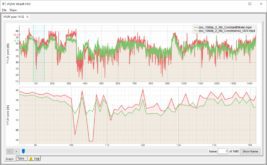
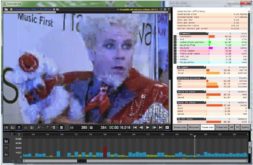
A student of one of my courses recently asked, “I need a tool, which does the same job as BitrateViewer but for HEVC. Which tool do you use when you need to get some sort of a plot or just a list of bitrates per each second?” Great question. If you don’t know Bitrate Viewer, it’s a great way to …
Read More »What Is VVC?
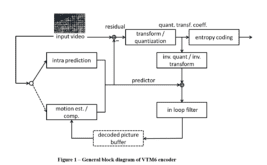
Versatile Video Coding (VVC) is a codec “drafted by a joint collaborative team of ITU-T and ISO/IEC experts known as the Joint Video Experts Team (JVET), which is a partnership of the ITU-T Video Coding Experts Group (VCEG) and the ISO/IEC Moving Picture Experts Group (MPEG),” as MPEG explains. The codec is designed to meet upcoming needs in videoconferencing, OTT streaming, mobile telephony, …
Read More »What Is the Versatile Video Codec?
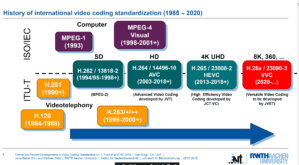
My article, What is VVC, just published on Streaming Media. Briefly, VVC is “codec next” from the perspective of MPEG (see image above) that’s due out in mid-to-late 2020. The Streaming Media article identifies the new “tools” in the codec, early performance results, and what we know about licensing. It’s way too early for most producers to start thinking about …
Read More »Compute VMAF Using FFmpeg on Windows
Author’s note: When this post was written, the Zeranoe FFmpeg Windows download didn’t include VMAF, so you had to either download this version or compile your own. Now the Zeranoe version does include VMAF support; all you need to do is download the models and run the correct command strings. To learn how to do this, check out the blog …
Read More »Discover Six FFmpeg Commands You Can’t Live Without
This blog identifies six incredibly useful FFmpeg commands for transmuxing, extracting audio/video, converting to YUV/Y4M, and scaling to different resolutions. All commands are included in my book, Learn to Produce Videos with FFmpeg In 30 Minutes or Less ($34.95), and course, FFmpeg for Adaptive Bitrate Production ($29.95) (which includes a PDF copy of the book). Don’t just learn FFmpeg; become an …
Read More »Preview Lesson: Tuning for Encoding When Measuring with Video Quality Metrics
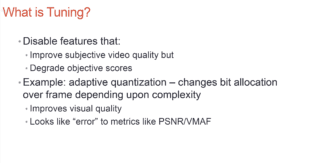
I’m pulling together some materials for my pre-conference session at Streaming Media West (November 18-20 in Los Angeles) entitled Objective Quality Metrics 2D & 3D: What They Are, How To Compute Them, & How To Use Them. One lesson talks about “tuning” when encoding files to be measured with metrics like PSNR, VMAF, and SSIM. It’s a crucial issue to …
Read More »An FFmpeg Script to Render and Package a Complete HLS Presentation
So, the object of the exercise is a single FFmpeg script that encodes your files and creates the necessary master and media playlists. I took an initial stab here, but wound up with a script, “as ugly as someone else’s baby, particularly the need to duplicate the input file four times for the four streams.” Again through the hard work …
Read More »FFmpeg to the Rescue: Muxing Audio and Video Files
So, there I was downloading videos from YouTube to include in a PowerPoint for a training course I was producing. Unfortunately, my download tool, wondershare’s excellent video converter, downloaded separate audio and video streams, the video in an MP4 wrapper and the audio as an MP3 file. So I had to mux the two to input them into PowerPoint. A …
Read More »Choosing an x264 Preset
All codecs and encoding tools have a configuration option that controls the quality/encoding time tradeoff. With x264 (and x265) the preset controls that tradeoff. When choosing a preset you should consider 3 criteria: Overall quality – the overall quality produced by that preset Low frame quality – the quality of the lowest frame produced by that preset, which indicates the …
Read More »
Streaming Learning Center Where Streaming Professionals Learn to Excel