 Streaming Learning Center Where Streaming Professionals Learn to Excel

Related Articles

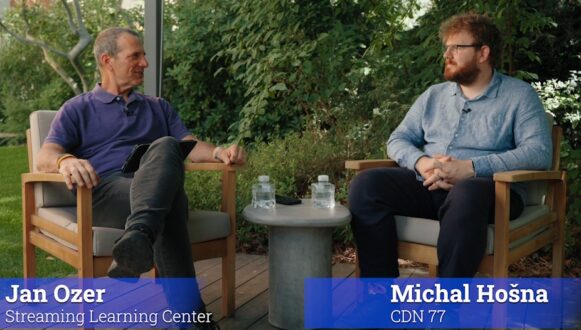
While visiting Prague before IBC 2026, I sat down with Michal Hošna, a Media Systems Architect at CDN77. We discussed CDN77’s recent decision to purchase a few thousand NETINT Quadra T1U transcoders for large-scale live production, primarily for social media clients that run tens of thousands of live streams in parallel. You can watch the interview on YouTube here and it’s embedded below.
Here are highlights from our chat.
The options. CDN77 considered three approaches. CPU encoding with x264, GPU encoding with an Nvidia card, and ASIC-based encoding with NETINT Quadra.
The testing. CDN77 tested hundreds of sample videos from its clients. That added up to tens of thousands of encodes over several weeks. The team tuned presets, B-frames, lookahead, and CRF buffer sizes, targeting VMAF scores of 80 plus and 90 plus, depending on content category.
The choice. CDN77 chose the NETINT Quadra for the highest volume use. There were two reasons.
- Quality. At social media bitrates like 500 kbps and 1 Mbps at 720p, NETINT delivered better quality than x264. Hošna puts NETINT’s quality advantage at about 10% over GPUs.
- Power and density. Hošna estimates NETINT is about three times more efficient than GPUs. CDN77 typically runs out of data center power before it runs out of rack space, so this was the bigger factor.
The ASIC warning. CPUs and GPUs can be put to other uses. An ASIC locks you into one application, so unused capacity is wasted money. Proprietary hardware also costs more to integrate. CDN77 offsets the risk by also running VOD on its NETINT hardware.
Running the ASICs. CDN77 runs most of its NETINT streams using capped CRF. The encoder spends bits on complex scenes and saves them on simple ones, and the cap prevents bandwidth spikes. The tradeoff is that variable bitrates complicate ABR algorithms and CDN delivery.
Also covered
- Why power matters in European and US data centers
- The tuning parameters that most affected quality and throughput
- How capped CRF compares to CBR and uncapped CRF
- How social platforms signal CDN77 to add renditions when a stream goes viral
The lightly edited transcript follows. Here’s the video.
Introduction
Jan: Hi, I’m Jan Ozer and I’m talking with Michal Hošna from CDN77 about how to choose a live transcoder. CDN77 just bought a few hundred cards after performing a lengthy regimen of testing that we’re also going to talk about.
Market education & validation
Would your product benefit from an independent technical analysis like this?
Our market education and validation service creates and distributes independent benchmarks, clear product explainers, and polished technical interviews. Proof that turns prospects into customers.
Learn how it works →Michal, thanks for joining me.
Michal: Happy to be here.
Contents
Live Applications
Jan: What are the typical live applications that you bought these transcoders to support?
Michal: That would be social media and user-generated content, mainly because classic broadcasts usually have just a few channels. But user-generated content can mean tens of thousands of parallel live streams.
Jan: Okay. What are the other applications that you support with these devices?
Michal: We also do VOD and try to use the cards in as many applications as possible to fully amortize the hardware. But the motivating use case was user-generated content.
Jan: Okay. To fully amortize the purchase price.
Michal: Yes.
Transcoder Types and Selection Factors
Jan: So which types of transcoders did you consider?
Michal: We considered CPU encoding, classic GPU encoding with Nvidia’s NVENC, and ASICs like NETINT, and we run all of those currently for different applications.
But ultimately the largest fleet is currently NETINT Quadra.
Jan: Okay. When you were looking at the type of transcoder to buy and deploy for social media, which is the high stream count, what were the factors that you considered?
Michal: Quality and especially compression ratio. Then total cost of ownership, especially how much power it consumes and how much it costs to run.
And also this amortization, can we use it for other things? Because one of the risks with going with ASICs is that if you buy CPUs, you can use it for whatever else. With GPUs, it’s still fairly flexible, but with ASICs you have one very specific application you have to lock in and it’s very risky if you are not able to use the capacity you purchase.
Why Power Matters
Jan: Okay. So going to the power side of the equation, why is power important?
Michal: Well, power, especially power in Europe, is expensive. And even in the US these days, it’s getting very expensive. In data centers, we are limited in power in the rack space you rent. Often, we are hitting the power limits way before we are hitting the space limit because the density is very good for many applications.
So, we look to new technology for an efficient power density ratio and as much compute as we can get from the limited power we have.
Quality Comparison
Jan: Okay. From a quality perspective, my assumption is that software is always going to be best unless you account for the fact that you’ve got to use a very low quality preset to get any kind of throughput at all.
But where did the three alternatives rank in terms of quality for low-bitrate streams?
Michal: We found out NETINT is even better than x264. We can get better numbers from NETINT, though x264 has so many tunable options that maybe we’re not expert enough to get the best out of it.
But as we try to tune all those setups, we could get the best quality from NETINT for the low-bitrate scenarios, like 500 kbps or 1 Mbps at 720p. There we saw ASICs being the best. And that’s why we can use them for the social applications, which is quite different from sporting or similar broadcasts where you try to get much better quality than on social networks, where people are watching on mobile phones.
Test Strategy
Jan: Okay. How did you test? What was your test strategy when you were looking at these different alternatives?
Michal: We were fighting this kind of chicken and egg. You don’t know what you can achieve. And also, it’s very content dependent. And as I said, bitrate dependent and also just many variables.
We were in this very high dimensional space of what you can tune, what you can achieve, and what are your limits on bitrate and quality. So, we got quite a big dataset of sample videos and tried to tweak as many tunables as possible and find out what this multidimensional space looks like, and what tweaks get you better quality for some content, but not for other content.
We also explored which presets best balanced cost and power. How to fit as many transcodes as possible onto one card. It’s many variables, and it was churning through data, trying to get as big a data set as possible.
Key Tuning Parameters
Jan: Most people use the default settings and then maybe they adjust the presets. What were the looking at any one of those alternatives I guess specifically. NETINT, what were the top 3 or 4 parameters that really moved the needle when it came to quality and throughput?
Michal: The preset had the most impact. There are some AI-based features trying to guess which part of the image is the most important. Then it’s a question of whether you’ll accept some latency, and whether you want B-frames or lookahead.
Because when you can accept some latency, you can tweak things to give you very different quality results. And also, we are mostly running at capped CRF, so there is some flexibility in the quality you get at a given bitrate.
Another configuration option was the buffer size. That is also a network question: how big a spike are we willing to accept on the wire? It can give you very different quality results.
Capped CRF Explained
Jan: So go into capped CRF for a second. Explain what that means. I know that you choose the quality level and then a maximum cap. So go into that and explain why you want to use that.
Michal: You can use a constant bitrate that is usually used for live streams. You set your target bitrate and the encoder varies the quality to hit that bitrate. Or you can choose CRF, the constant rate factor where you set the quality and the encoder varies the bitrate and spends as many bits as it needs.
This is classically not great for live, especially uncapped, because you could get huge spikes, but it’s best from the point of using the bitrate efficiently. Because when you do constant bitrate, you risk spending your bits and your bandwidth on parts of the image that are not interesting. With CRF you can get a much lower bitrate for those scenes and spend it on some more interesting scenes down the line.
This gives you this good tradeoff. You get good quality, but you don’t get these huge spikes that would make the content harder and more expensive to deliver, and also completely break your algorithms.
And I would note that even capped CRF is problematic with classic ABR algorithms because you don’t know what the bitrate is. It can be very dynamic. And from a CDN operator’s perspective, it can give you weird spikes so it’s harder to deliver. But you get this lower bandwidth, better quality tradeoff.
Quality Targets and Bitrate Savings
Jan: What was the quality target? I mean, when you were choosing a CRF, were you targeting a specific VMAF value?
Michal: I don’t have hard numbers off the top of my head, but we are always at 80-plus and 90-plus VMAF for different categories of stuff.
Jan: So just to go into the difference, I mean, if I had a high motion video that required a maximum bitrate and a low motion video that was easy to compress, what’s the difference in bitrate that you saw using capped CRF?
Michal: It depends on how you set the cap. We usually stick with classic profiles of a couple of Mbps. We don’t go to 50 Mbps for 1080p. So high-motion video almost always hits the cap.
The rest depends on your goal. If you want high quality, you set the cap high. If you want to avoid wasting bandwidth on content that doesn’t need it, you set the CRF quite high and the cap conservatively. High-motion video then behaves like constant bitrate. When the action settles down, the bitrate drops sharply. With a static camera and 2 to 5 second GOPs, you can get HD video down to kilobits.
Jan: So, it’s a significant difference. It’s worth chasing because you do save significant bandwidth.
Michal: Yes. Well, from a CDN point of view, we’d rather they didn’t save the bandwidth (joking). But the effort for the media owners, it definitely makes sense that they’re looking to optimize.
Handling Viral Streams
Jan: What do social media services do when they get some indications that a video may become viral.
Michal: How they get their indications, we don’t know. It’s proprietary. But they tell us they want to transcode using different presets or different resolutions.
It’s not like you push a video and we immediately start a ladder of ten qualities to the multiple different codecs. Because that would be expensive. And most user-generated stuff, honestly, nobody’s watching, or one or two viewers, and you don’t want to spend transcoder power there. And when the stream starts to get hot, it makes sense to spend transcoding time there to save on the bandwidth.
Jan: When you say they notify you that’s not a phone call, that’s an API call.
Michal: API call.
Jan: Then you basically just change everything in midstream and encode at a higher quality?
Michal: We start encoding at a higher quality. They migrate users to newer quality. We can then retire the old transcoder. It’s very dynamic. Some streams can take hours and during the length of the streams this all can change multiple times.
Testing Scale
Jan: Okay. We should have asked this a few minutes ago, but when you were testing for the social media application, how many files were you testing? Was it dozens? Tens?
Michal: Low hundreds.
Jan: Wow. And for each encoder you had multiple trials. It sounds like tens of thousands of encodes.
Michal: Yeah, definitely tens or hundreds of thousands. At our scale, where we currently have hundreds of physical transcoders, getting ten samples and running those tests for weeks still makes sense before you make a big investment.
NETINT Compared to GPU Encoding
Jan: Describe how NETINT compared to the GPU based transcoders you compared it to.
Michal: Well, especially at the start, we were reluctant to go with any ASIC due to depreciation and cost.
So going to ASIC wasn’t our first choice. And also integrating with custom proprietary ASICs is harder than integrating with NVIDIA and especially with CPUs. So, with NETINT we had to decide if we are willing to do this integration.
We contacted them, got a couple of Quadras and started experimenting. And from there we saw that these promises were not inflated. The numbers are good. And then it was just getting more and more data and making the decision.
Jan: Okay. So, how much more efficient was Quadra than GPUs? Was it 5% more efficient? 10%? 2%? I mean, in terms of quality at a given bit rate.
Michal: I would say 10% more efficient. The much more interesting thing was that it’s three times more efficient, power and density than GPUs, with a 5 to 10 percent quality gain.